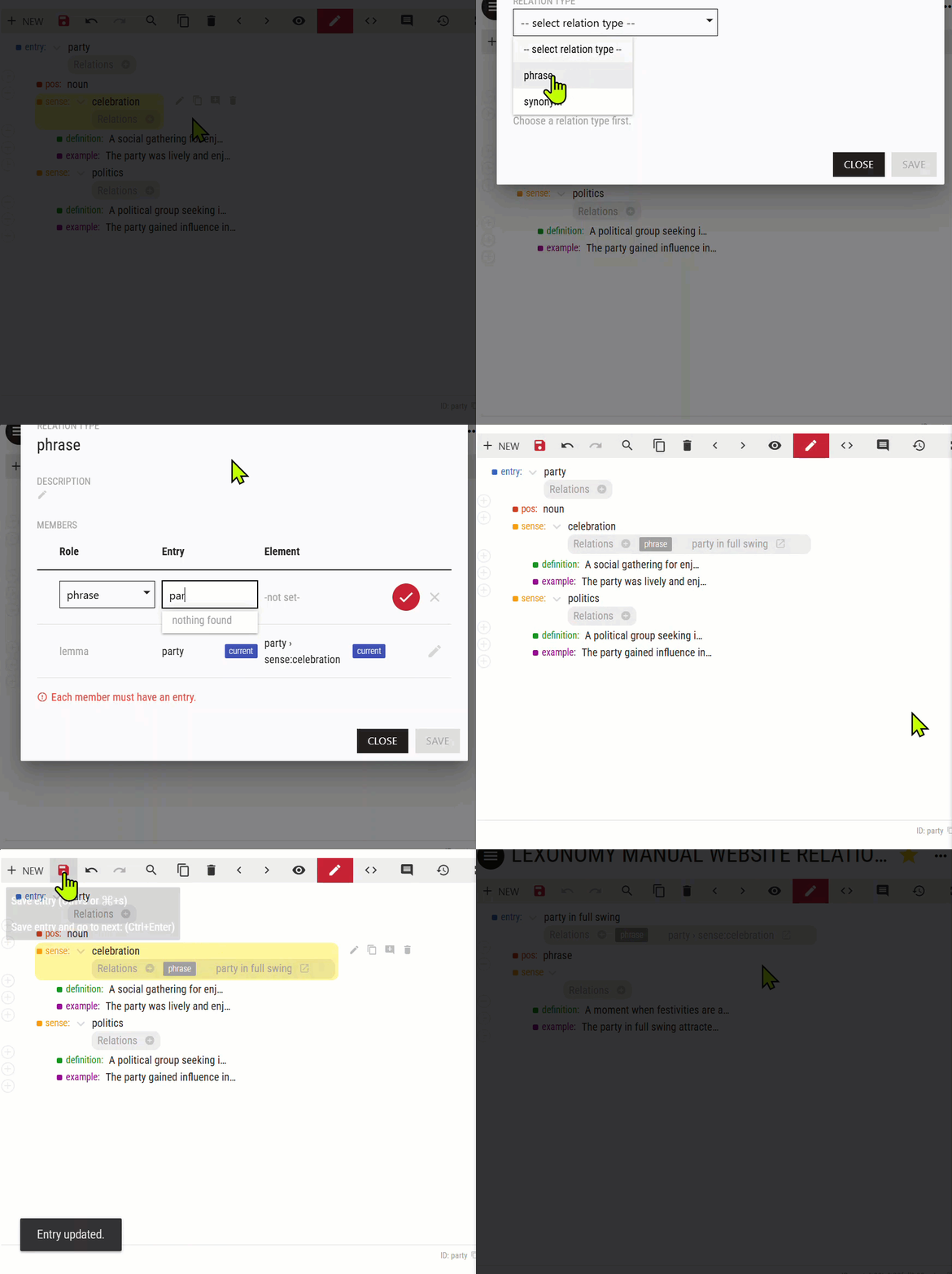
Relations can be inserted directly in the visual entry editor. To check which relation types are available in your dictionary, to edit them or to create new ones, go to CONFIGURE – RELATION TYPES.
Relations cannot be inserted in the raw NVH code editor. The only way to insert relations completely manually is to download the dictionary source data in NVH and edit them. This is not recommended! It may lead to data integrity issues which may be difficult to spot and fix.
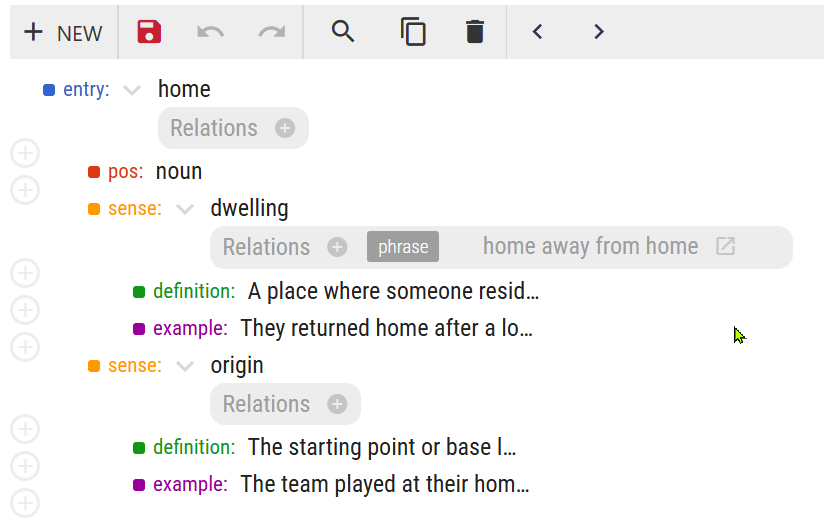
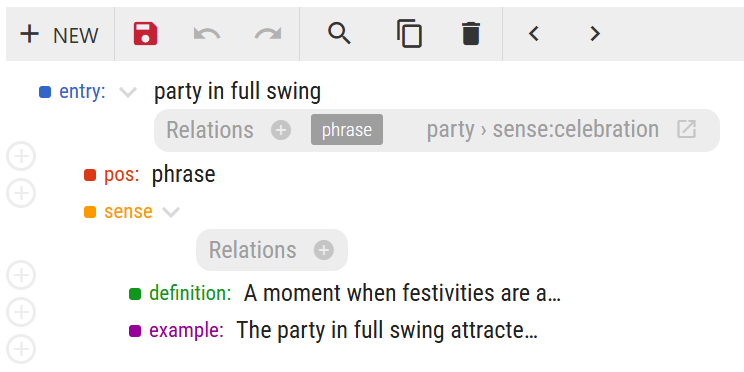
By inserting a relation, it is inserted automatically in the ohter entry(-ies) or element(s)—the target.
A dictionary where relations have been set up will display buttons for insterting relations in the visual editor. Butons are only shown under the elements which are targets in relation types. In this dictionary, relation types are configured to link whole entries and individual senses. No other elements can be linked.
If other elements should be linked, a new relation type making use of these elements should be set up first.
In this entry, the entry for the phrase home away from home has already been linked to the first sense.
This animation shows how to add a relation and select its member (a phrase in this case). Clicking the relation displays the linked entry. After saving, the relation is also inserted in the other entry.