
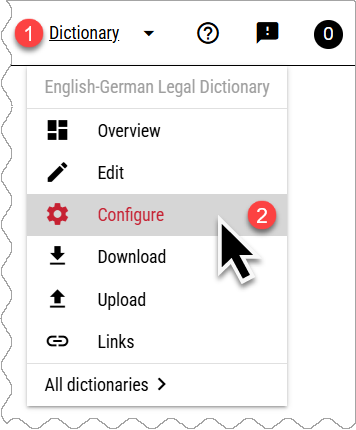
The Configure menu contains these sections:
MANAGE DICTIONARY
Basic settings
Change the dictionary, name, description and the main dictionary language.
Entry structure
Select or create elements which the dictionary entries can or should contain. more»
Users
Select users who have access to the dictionary and thier viewing and editing permissions. Public dictionaries can be viewed by anyone, including people without a Lexonomy account.
PUBLISHING
These parameters control how the dictionary is displayed in the Lexonomy viewer only. If the dictionary is exported, these settings are not included.
Publish
Change the status to published to make the dictionary visible (but not editable) for everyone on the selected URL. more»
Formatting
Choose the fonts, colours, sizes, bullets and layout used when publishin the dictionary in Lexonomy. more»
Headword list
Customise the look and content of the headword list displayed on the left of the screen. more»
Searching
Customise the elements which are searched by the search function. By default, only the headword is included in the search. Include more elements for fulltext search. more»
Change URL
By default, the dictionary will be published on an automatically generated url. Use this menu to customise the url.
EXPERT SETTINGS
Flags
Use flags to label headwords with custom labels.
Custom entry editor
Develop your own entry editor for a specific editorial task.
Lexonomy styling
Change the colours fonts and sizes of Lexonomy.